IMPORTANT: If you own MultiLedger 14.0 or 26.0 and have not upgraded to MultiLedger 27.0, you will need to purchase the CheckMark MultiLedger 2027 Update to stay current. If you do not currently own CheckMark MultiLedger, you can download the free demo or purchase the full version.
Keep your program up to date with the latest patch that addresses any enhancements, tax updates, bug fixes, and other changes. To get information about the latest patch available for your software to choose your application from the drop-down list below.
Hint: Did you know that upon startup, CheckMark MultiLedger automatically checks for patches and updates? This will ensure that you are using the latest version CheckMark MultiLedger!
You can also manually check to see if you are using the latest version from the Help menu within CheckMark MultiLedger.
Note: You must be connected to the internet to use these features.
NOTE: CheckMark MultiLedger Software for macOS is now fully compatible with both Intel-based and Apple Silicon Macs. You can download the latest 64-bit version from My Account.
MultiLedger Version 27 Upgrade Options
Depending on the version of MultiLedger you currently use and when you purchased it, your upgrade path is as follows:
Version 26 Users — Purchased February 1 through August 31, 2026: Please contact our Support Team to learn more about your special pricing for Version 27 and receive assistance with your update.
Version 26 Users — Purchased September 15, 2025 through January 31, 2026: You can purchase your Version 27 update through the Updates Portal.
Version 14 Users: You can purchase your Version 27 update through the Updates Portal. Please note that MultiLedger Version 14 will reach End of Support on December 31, 2026.
Version 13 and Version 12 Users: Please contact our Support Team to learn more about your pricing for Version 27 and receive assistance with your update.
Version 11 and Earlier Users: You can purchase your Version 27 through the Updates Portal.
Please note that we only support the latest version of our software. You can call 970-225-0522 or e-mail sales@checkmark.com and our team will be happy to answer any questions.
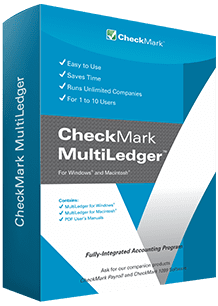
Please note: You need to have version 26.0.0 or later of CheckMark MultiLedger already installed to run the latest patch.
Changes in MultiLedger 26.0.2 for 2026
Changes in MultiLedger 26.0.1 for 2026
Please note: You need to have version 26.0.0 or later of CheckMark MultiLedger already installed to run the latest patch.
Changes in MultiLedger 26.0.4 for 2026
Changes in MultiLedger 26.0.3 for 2026
Changes in MultiLedger 26.0.2 for 2026
Changes in MultiLedger 26.0.1 for 2026
Desktop accounting software designed and built for small businesses
Download Free Demo